A braille tutor children actually want to pick up.
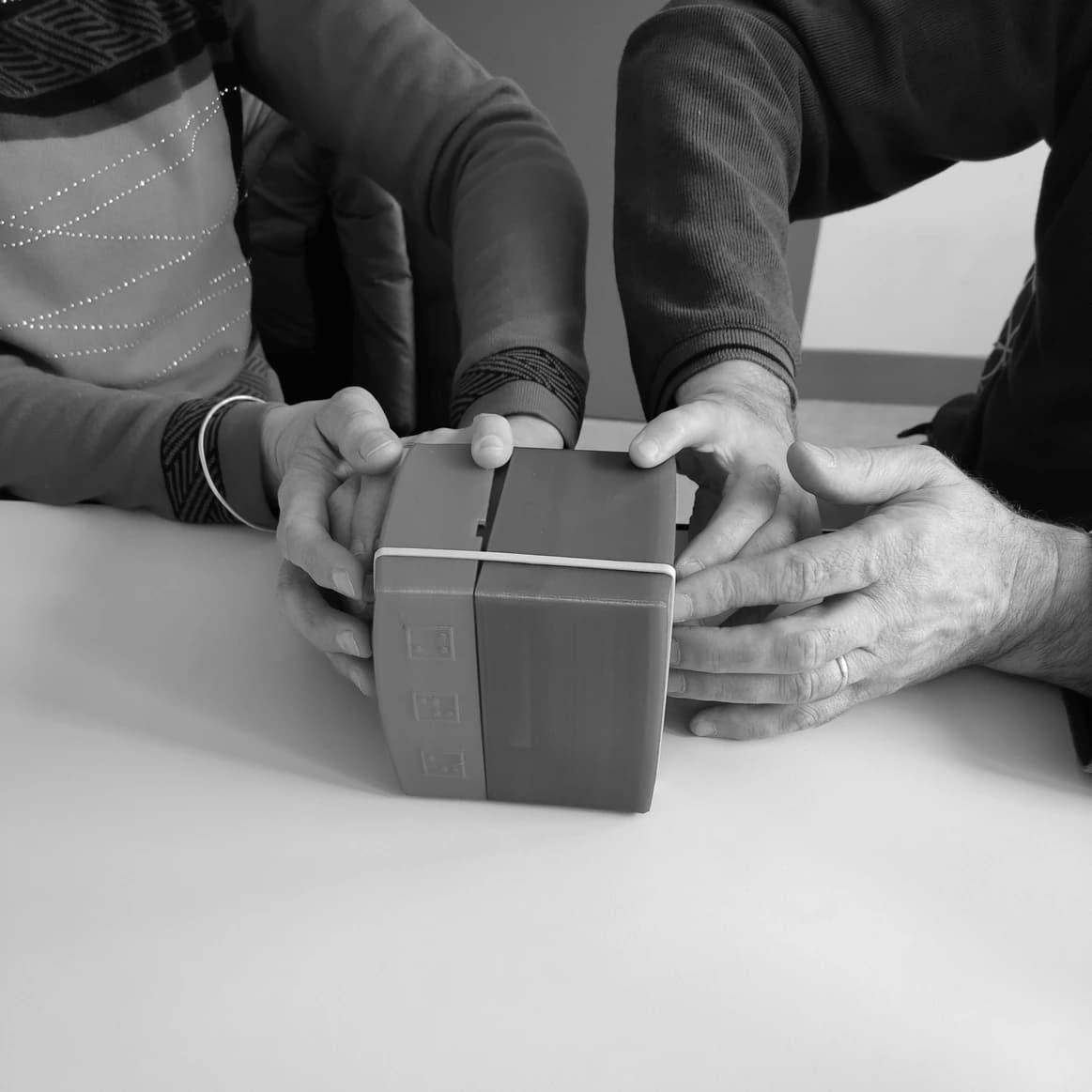
Brailly is a tactile learning cube with six buttons—one for each dot of a braille cell—and a friendly voice that guides every step. Designed and tested with blind and low-vision learners.
Built and supported through
- EIT DigitalEIT Digital Master School
- Aalto Creatives Pre-incubator

- SIBB Incubator · HTW Berlin

Feel the dots
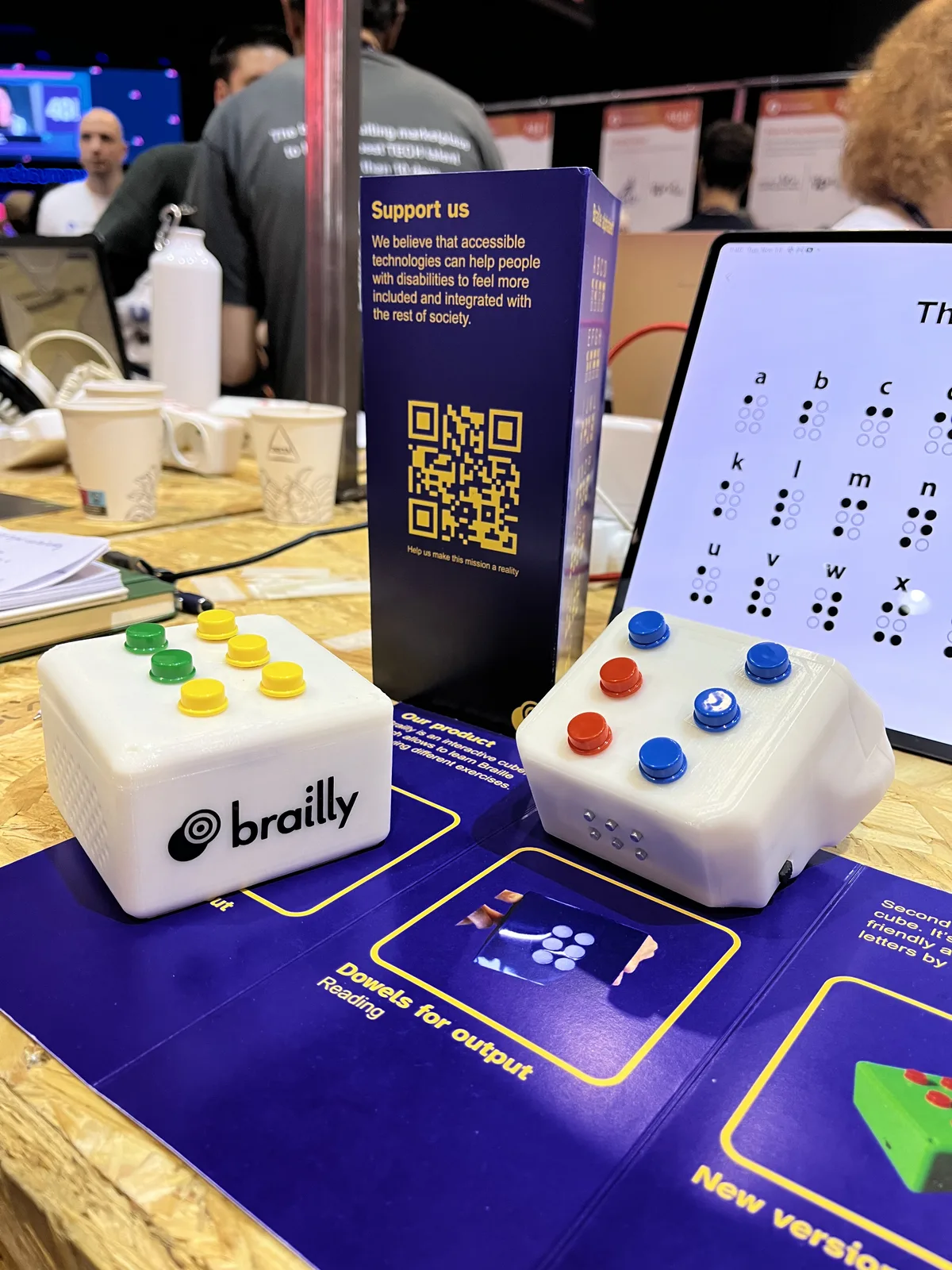
Six large buttons map to the six dots of a braille cell. Learners press the pattern they feel and build muscle memory letter by letter.
Hear the guidance
A warm spoken voice names each letter, confirms correct answers, and offers a gentle nudge when needed—never a buzzer, never shame.
From letters to words
Exercises grow from single letters to whole words, so practice feels more like a game than a drill.
A braille cell you can hold in two hands
Brailly grew out of work with blind learners and the people who teach them. It keeps practice playful and physical, with nothing on a screen to read.
A six-button braille cell.
One chunky, high-contrast button per dot, easy to find by touch—built for small hands and first-time learners.
Friendly spoken coaching.
Cloud-generated audio introduces each exercise, reacts to every attempt, and keeps the tone encouraging.
3D-printed and sustainable.
Printed in biodegradable PHA filament—sturdy enough for a classroom and kinder to the planet.
A companion dashboard prototype.
The web prototype explores how families and teachers could follow practice without taking over the learner’s experience.
Feel a letter, press it back, build a word
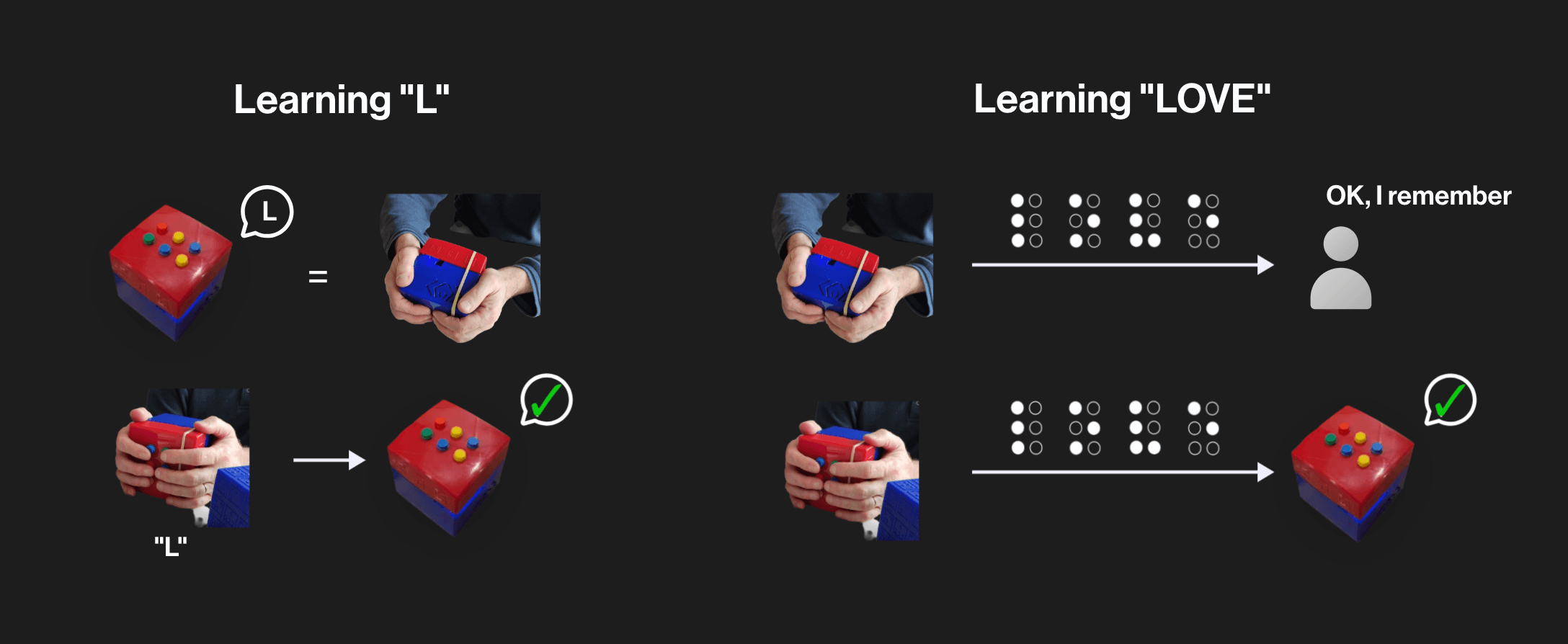
Every session follows the same simple loop—explore by touch, answer with the buttons, and hear what happened straight away.
Feel the letter
Brailly names a letter aloud and the learner explores its dot pattern on the device with their fingertips.
Press what you feel
Using the six buttons, the learner recreates the pattern. Brailly responds right away—out loud, in the moment.
Move on to words
Mastered letters build into short words like “love”. Each session is paced to end on a win.
“I would definitely like to have this cube as a child. Learning braille usually happens through books, which is not as fun as learning by playing.”
The people behind Brailly
Brailly started in 2023 as an EIT Digital Master School project in Paris. The prototypes brought together interaction design, hardware, and software engineering.

Lars Oberhofer
Product, UX & hardware

Heïdi
Design & user research

Gabriel
Hardware & firmware
Curious about Brailly?
Brailly is an early-stage prototype built by a small team. If you teach, parent, research, or just find this interesting, we'd love to hear from you.
- • Educators & families — tell us about your learner
- • Researchers & makers — compare notes on tactile literacy
- • Press & partners — ask for photos and a walkthrough
Say hello
Leave your details and we'll get back to you—usually within a few days.